
What would you think if I sang out of tune?
Would you stand up and walk out on me?
Lend me your ears and I’ll sing you a song
And I’ll try not to sing out of key
Oh, I get by with a little help from AI
Mm, I get high with a little help from AI
Mm, gonna try with a little help with AI
Adapted from “With A Little Help From My Friends” from the album Sgt. Pepper’s Lonely Heart Club Band, Beatles, 1967
Introduction
For quite some time I have been wanting to create an application that allows user to query cricket data in plain English (Natural Language Query) and get the appropriate answer. Finally, I have been able to realise this idea with my latest application “IPL AI Oracle:AI that speaks cricket!!!“. While I have just done this for IPL, it can be done for any of the other T20 leagues namely (Intl. T20 Men’s and Women’s, BBL, PSL, NTB, CPL, WBBL etc.). The current app “IPL AI Oracle” is in Python, and is a distant cousin of my Shiny app GooglyPlusPlus written entirely in R (see
IPL 2023:GooglyPlusPlus now with by AI/ML models, near real-time analytics!)
GooglyPlusPlus is much more sophisticated with detailed analytics of batsmen, bowlers, teams, matches, head-to-head, team-vs-AllTeams, batsmen and bowler ranking and analyis. GooglyPlus also includes ball-by-ball Win Probability models using Logistic Regression and Deep Learning models. While, ‘IPL AI Oracle’ lacks the ML/DL models it includes the ability to answer user queries in simple English (Natural Language Query -NLQ) and generate the pandas code for the same.
IPL AI Oracle
The IPL AI Oracle has a 2 main modules
- frontend
- backend
a) Frontend
The frontend is made with Next.js, Typescript and has 4 tabs
- General queries
- Match Analysis
- Head-to-head
- Team vs All Teams
The frontend includes analytics for matches, head-to-head and team-vs-allTeams options. Plots can be generated for some features and uses Plotly.js for rendering of plots
b) Backend
The backend implements FastAPI endpoints for the different analytics and natural language queries.
A) The analytics in the 3 tabs namely match analysis, head-to-head and team vs All teams are implemented using my Python package ‘yorkpy‘. Since my package yorkpy has all the cricket rules baked into it, I used the code from my package verbatim for these tabs.
B) The data for the analytics comes from Cricsheet. Cricsheet includes ball-by-ball data in yaml, for all IPL matches from the beginning of time. This data is pre-processed with R utilities of my Shiny app GooglyPlusPlus. These R functions to convert the match data into the data required format for the a) Match Analysis Tab b) Head-to-head tab and c) Team vs All Teams tab which are then subsequently converted to csv for use by my package yorkpy. My Python package is based on pandas and can process this data and display the analytics required for the tabs
C) Plotly is used for generating the plots
D) Jinja templates are used for creating the prompts for the different tabs
D) For natural language query in each tab, originally I used Ollama and tried out Mistral 7B and DeepSeek Coder 6.7B. But then I realised that it has a large footprint, if deployed, and hence settled for gpt-4.1-nano
The frontend is deployed on Vercel and the backend is dockerised and deployed on Railway. Since the clock is ticking for Vercel, Railway and GPT API, I will be closely monitoring the usage.
Give IPL AI Oracle a try. Click this link IPL AI Oracle. (When you click the link you will be asked to enter your email address, to which a magic link will be sent. Clicking the link will give access to the link. Please wait 2-3 minutes for the mail, if still not received check your spam/trash folder)
Here are some random screenshots from the different tabs
I) IPL Analytics
A) Match Analysis
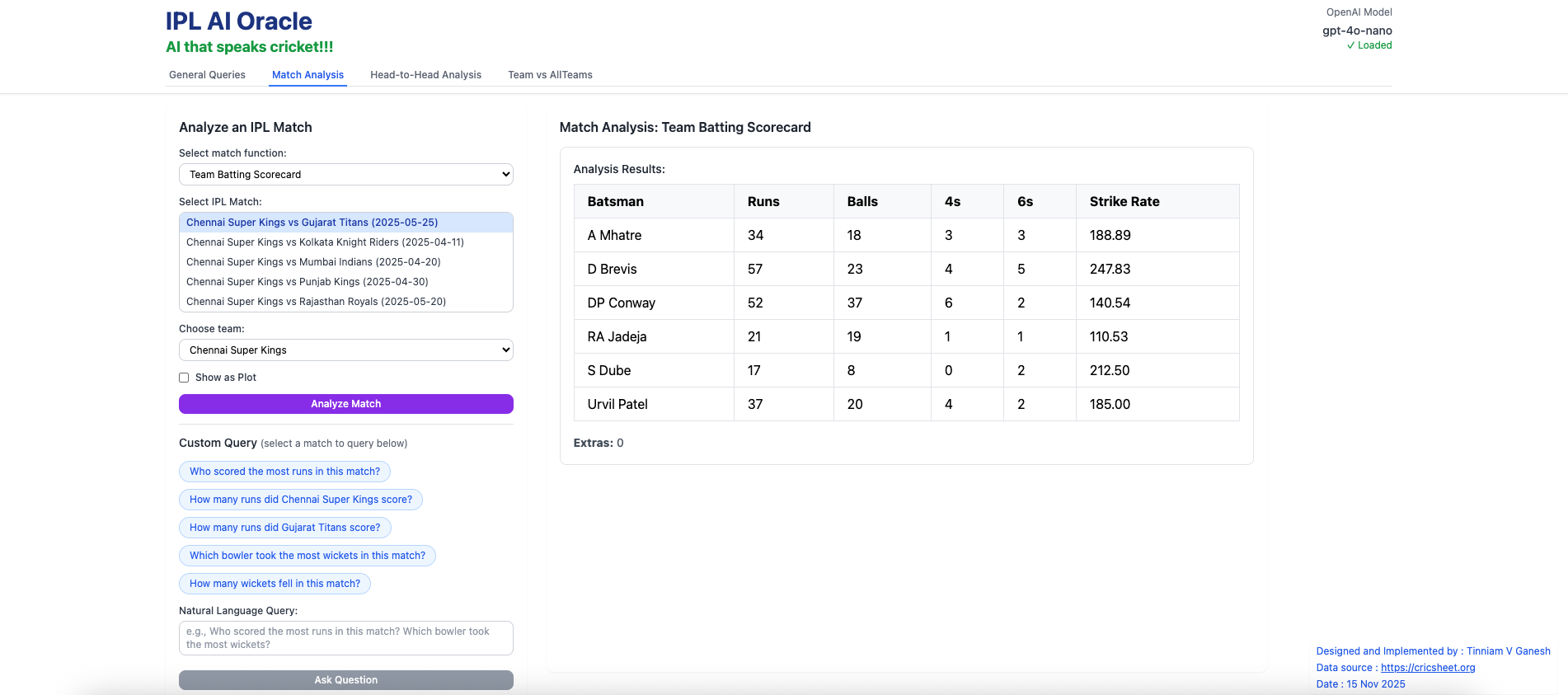
a) Batting scorecard – Chennai Super Kings vs Gujarat Titans (2025-05-25)
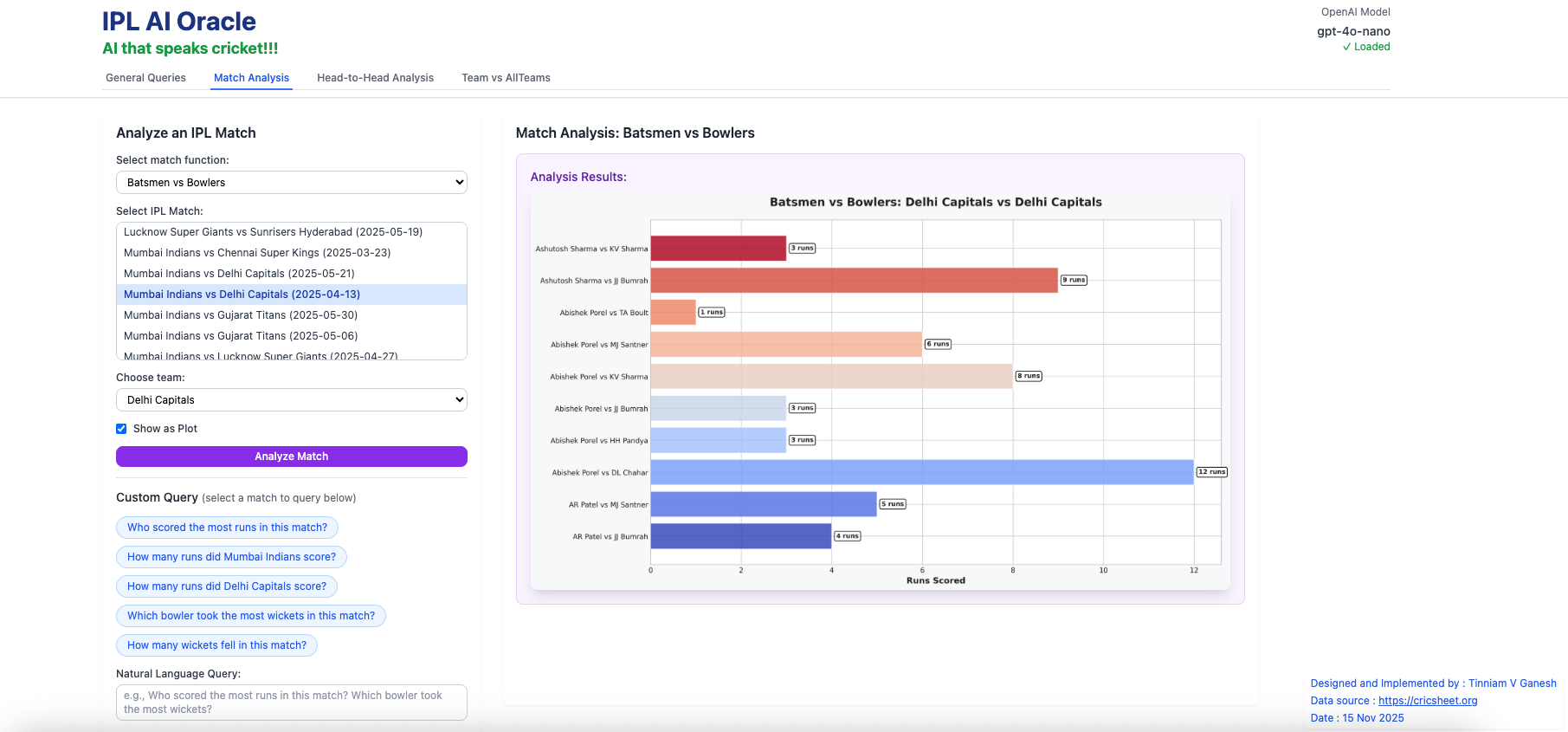
b) Batsmen vs Bowlers (Mumbai Indians vs Delhi Capitals – 2025-04-13)
B) Head-to-head Analysis
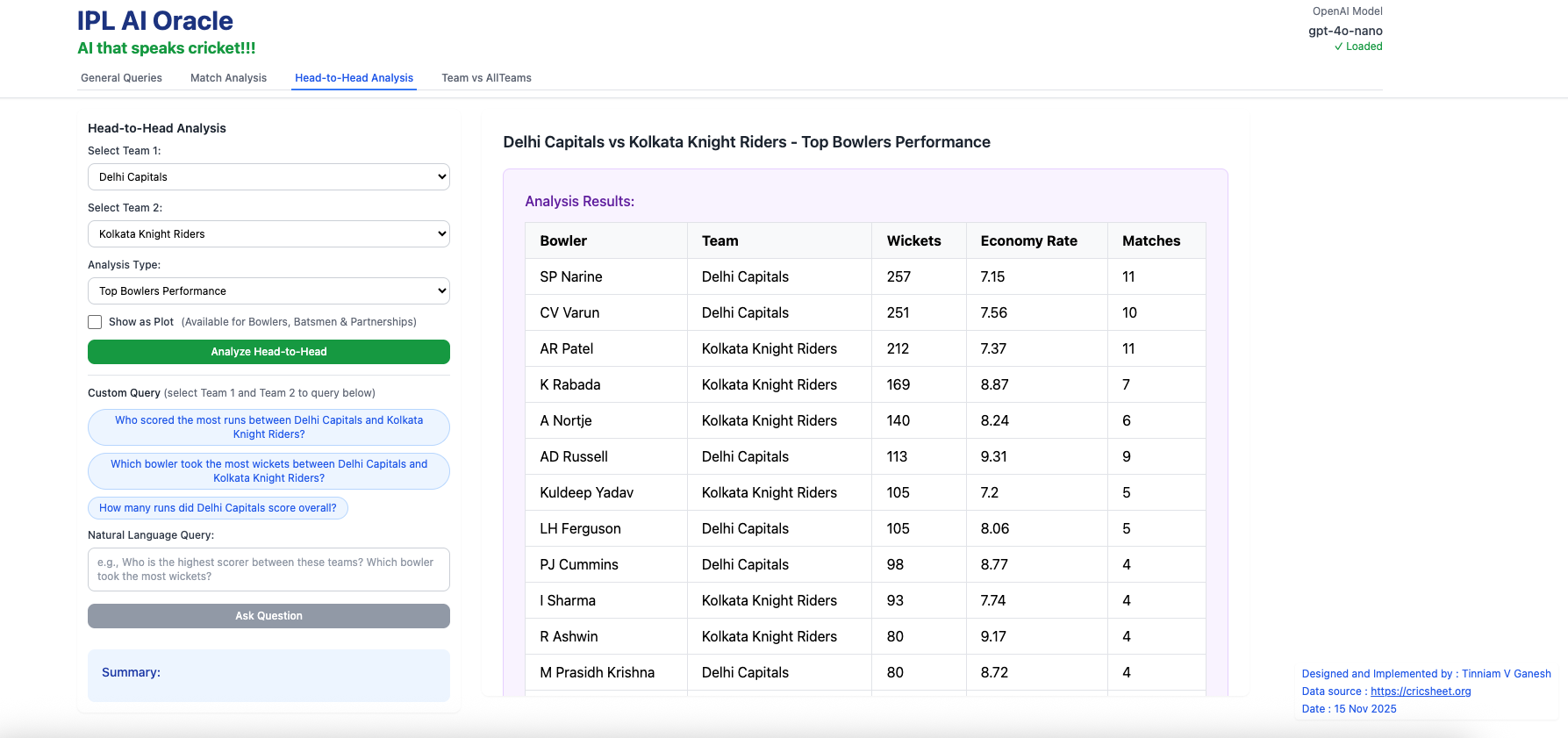
a) Top Bowlers Performance (Delhi Capitals vs Kolkata Knight Riders – all matches)
This tab takes into consideration all matches played between these 2 teams and computes analytics between these 2 teams
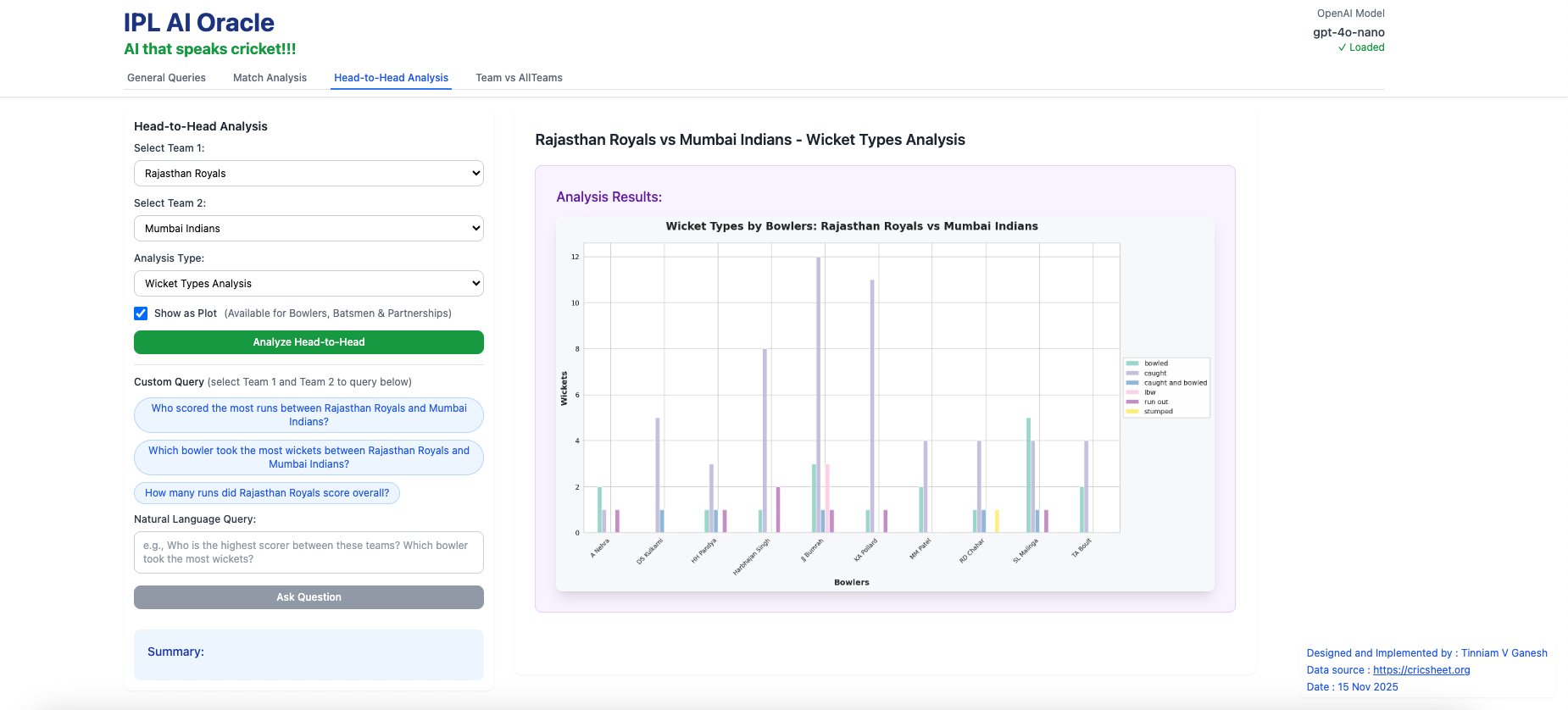
b) Wicket Types Analysis (Rajasthan Royals vs Mumbai Indians – all matches)
C) Team vs All Teams
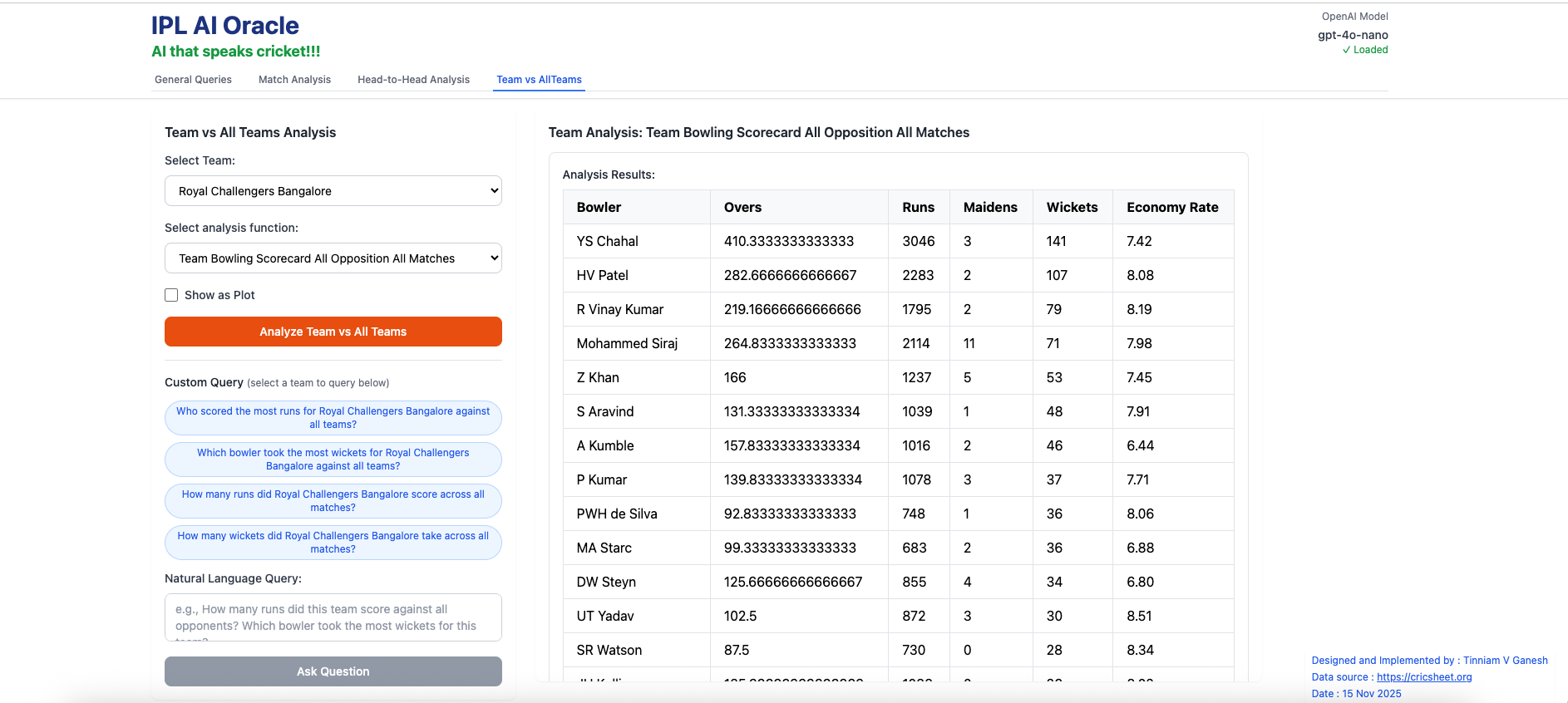
a) Team Bowling Scorecard – Royal Challengers Bangalore
II) Natural Language Query (User queries)
A) General Queries
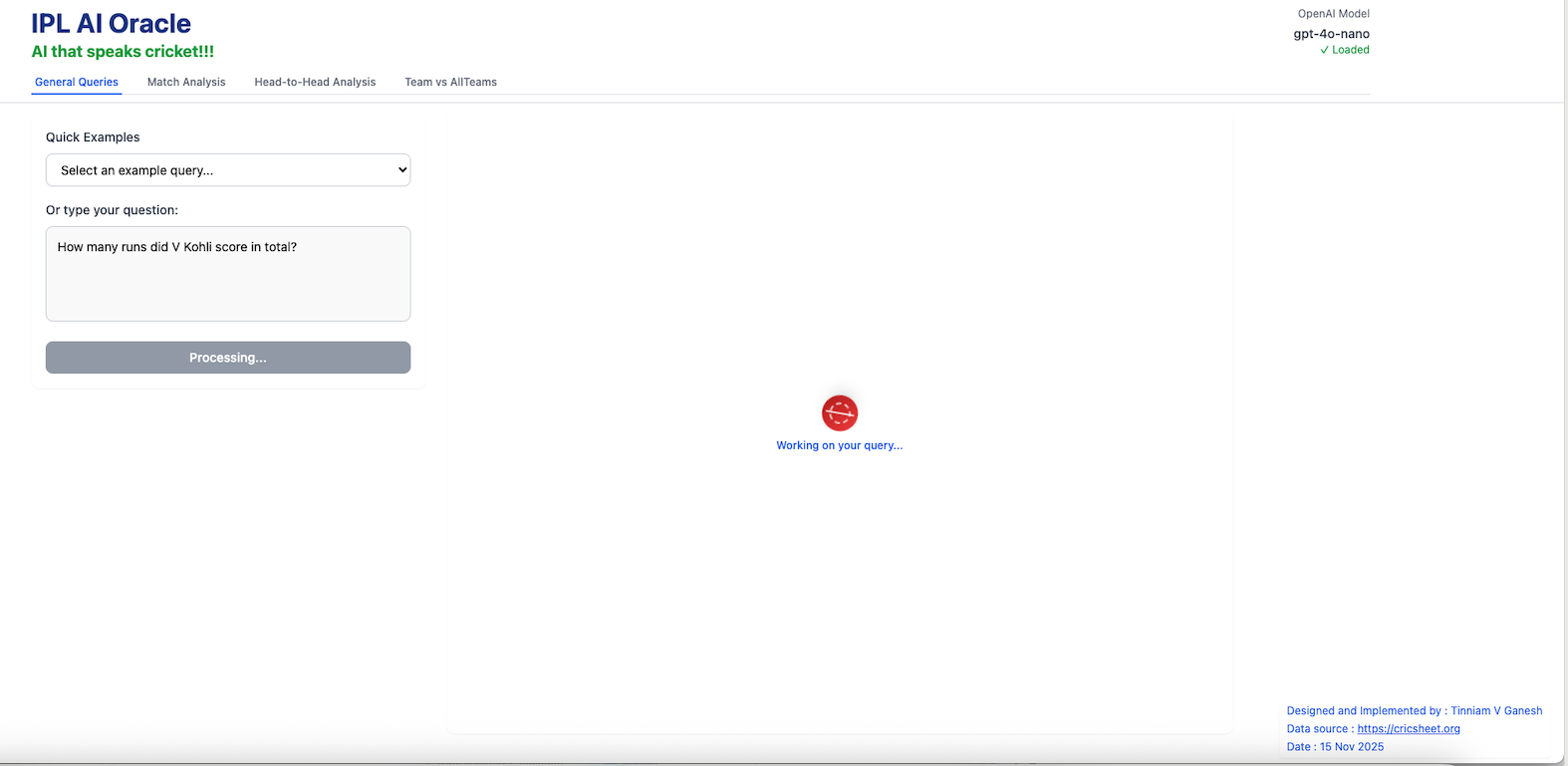
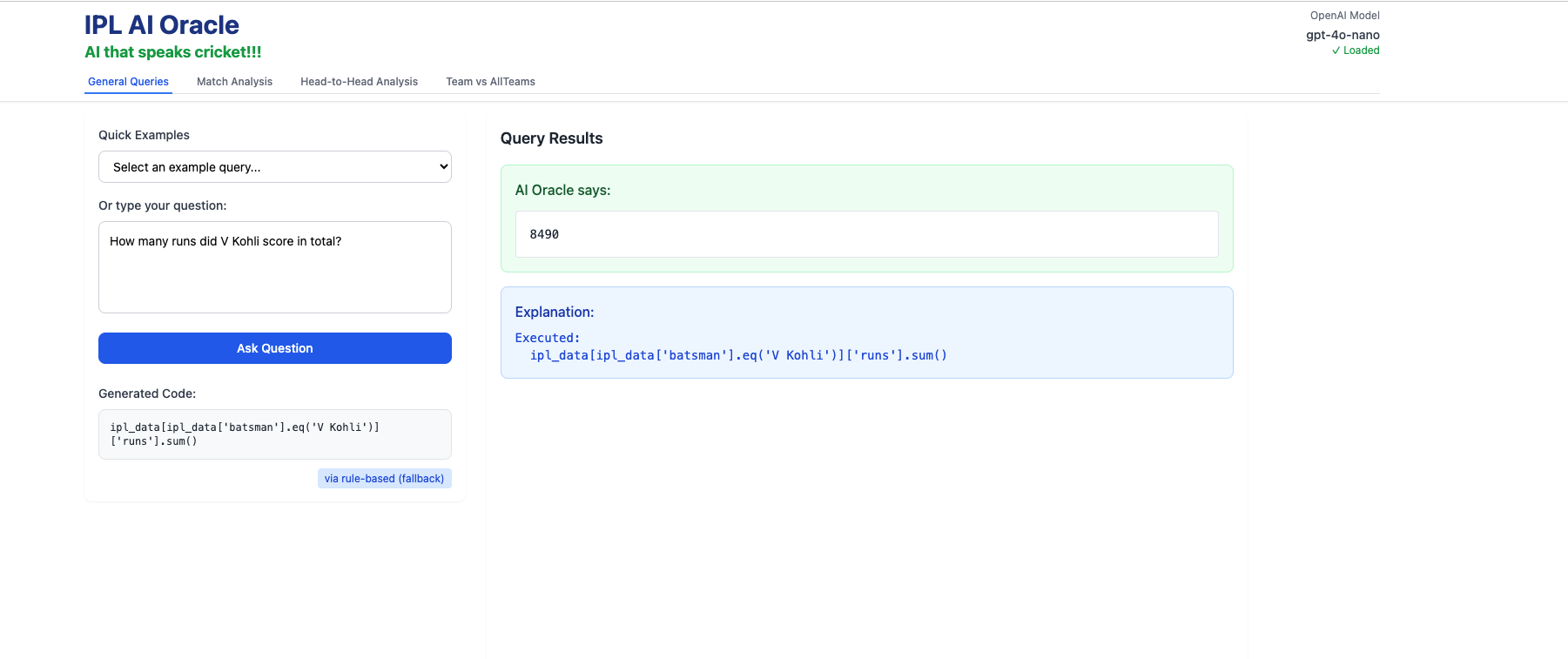
i) How many runs did V Kohli score in total ?
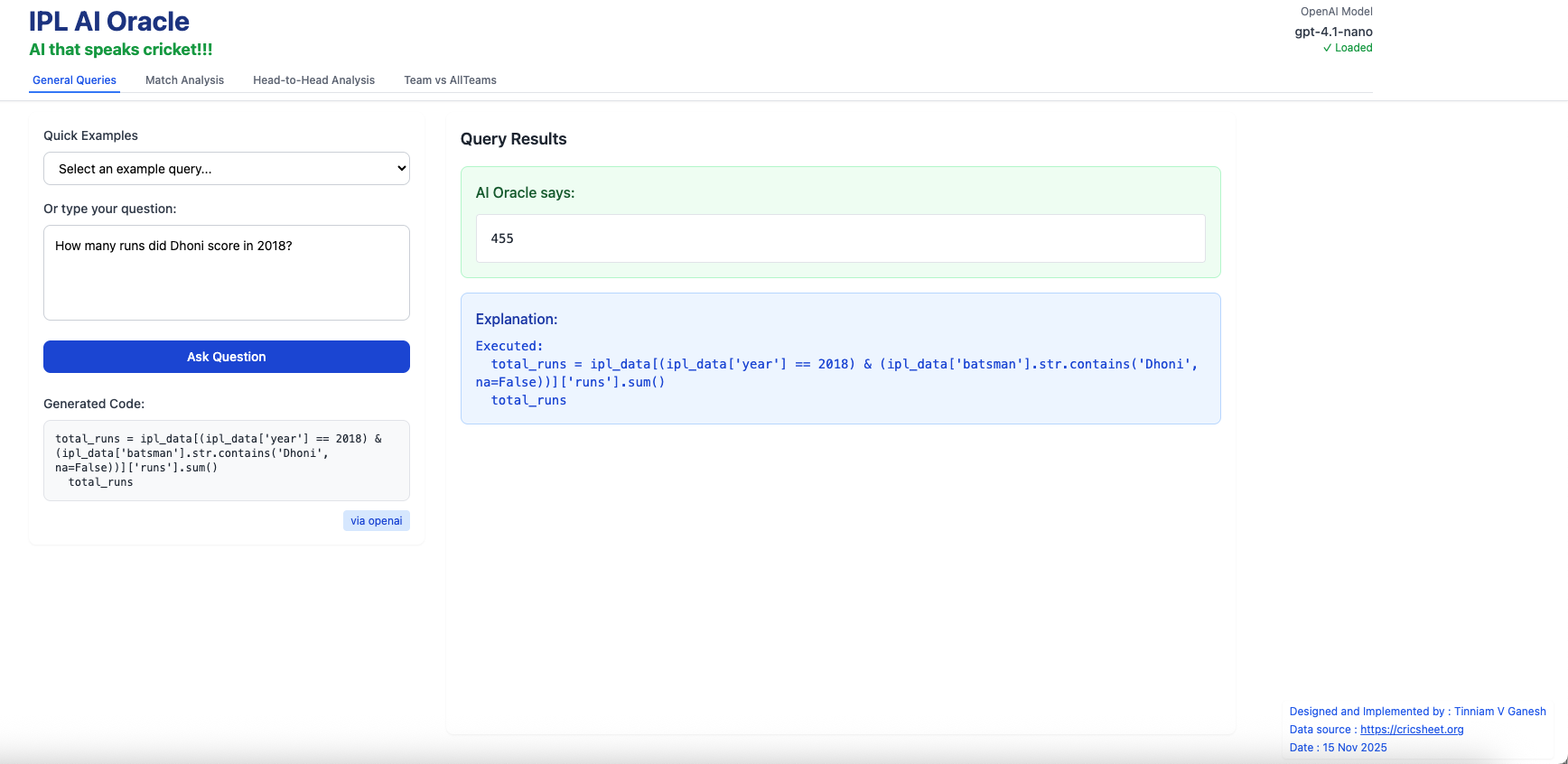
ii) How runs did MS Dhoni score in 2017?
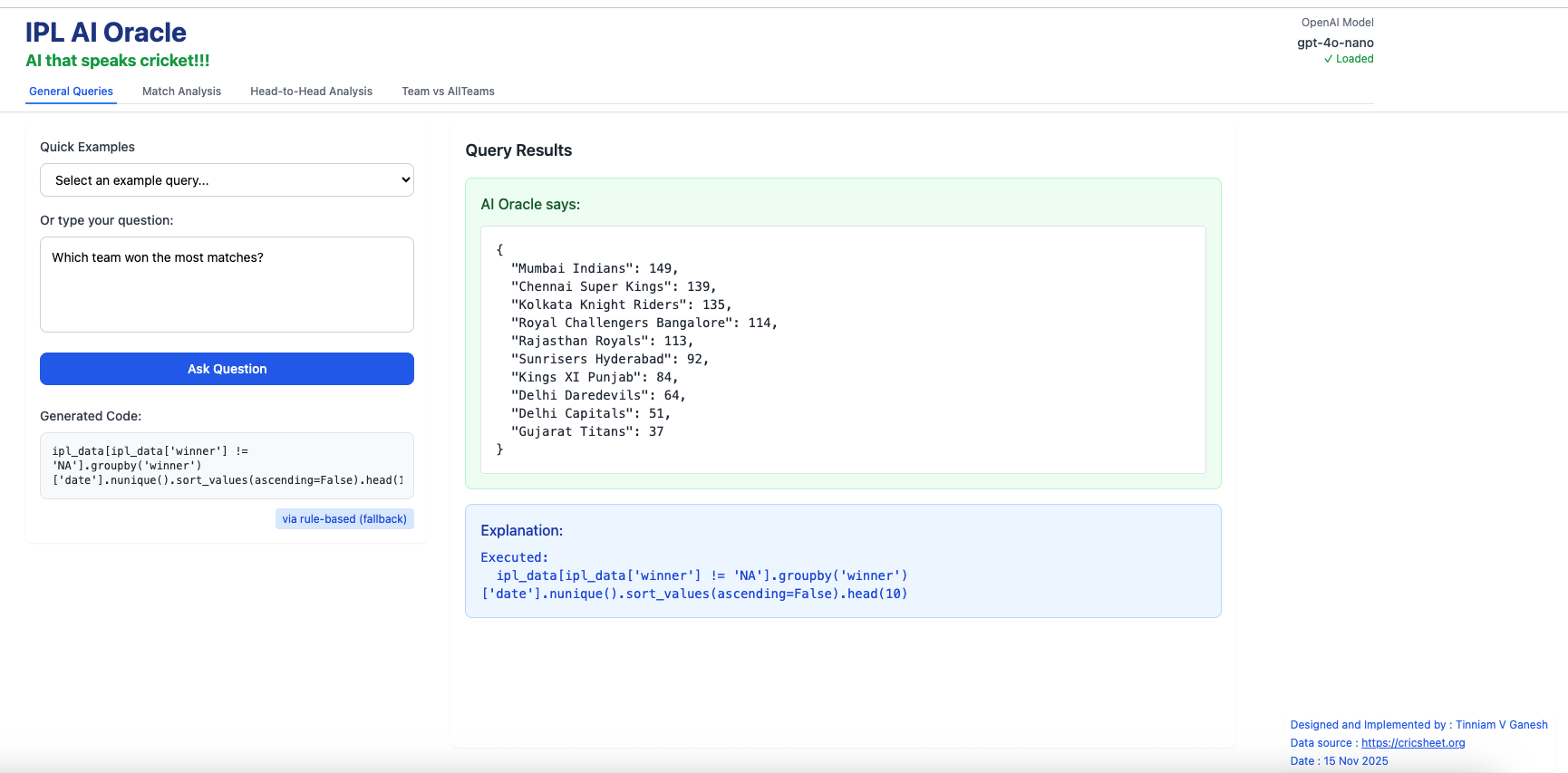
iii) Which team won the most matches?
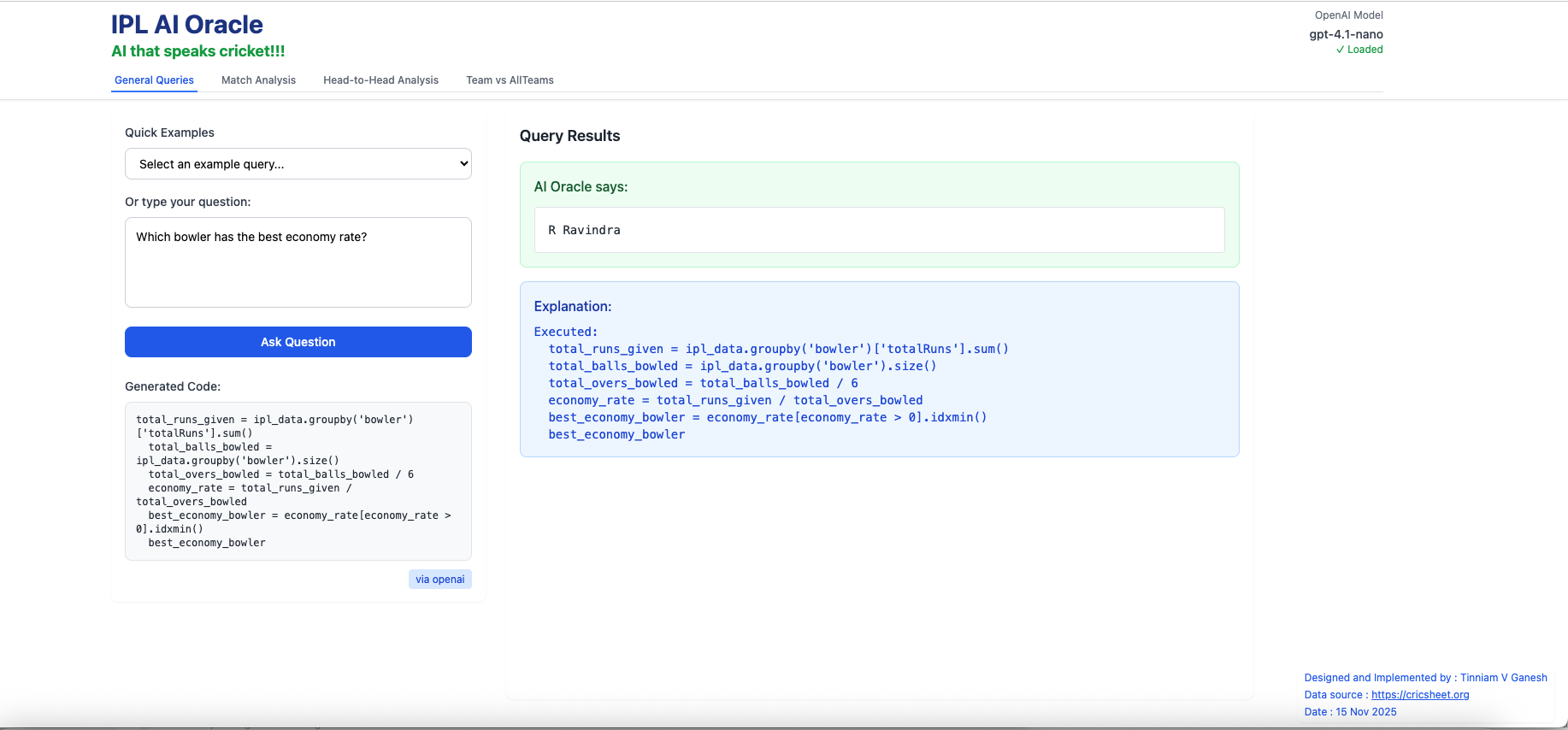
iv) Which bowler has the best economy rate?
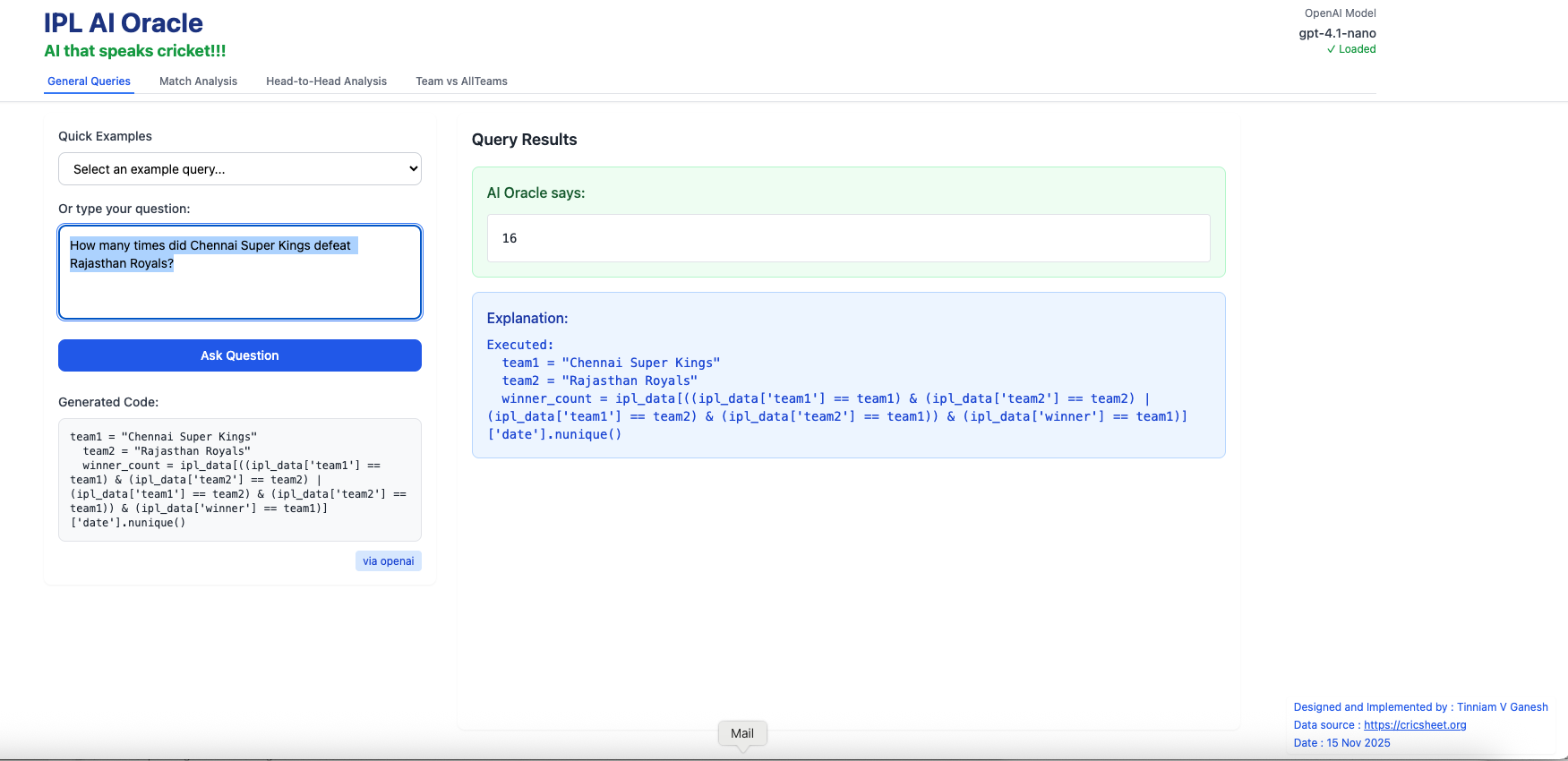
v) How many times did Chennai Super Kings defeat Rajasthan Royals?
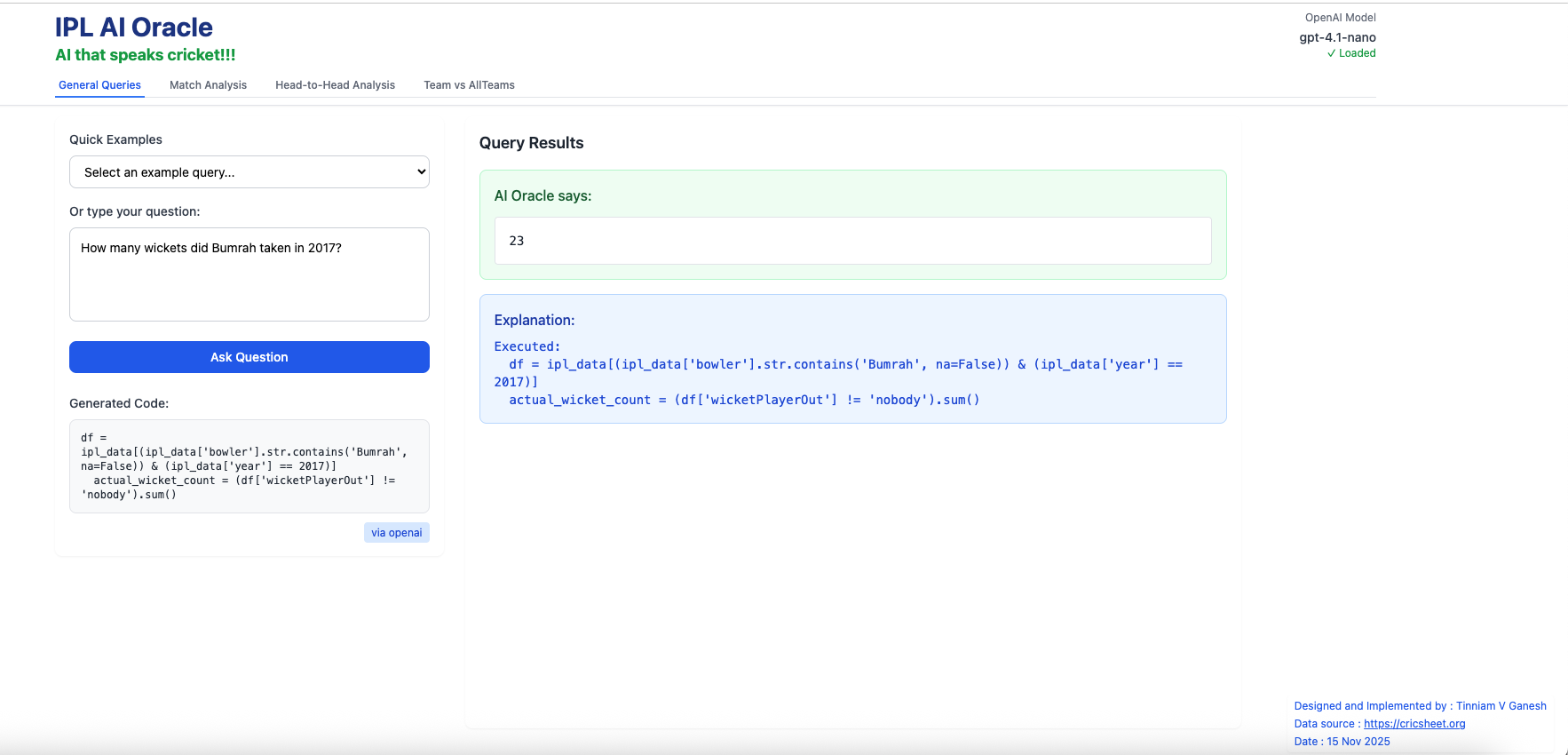
vi) How many wickets did Bumrah take in 2017?
B) Match analysis – Natural Language query
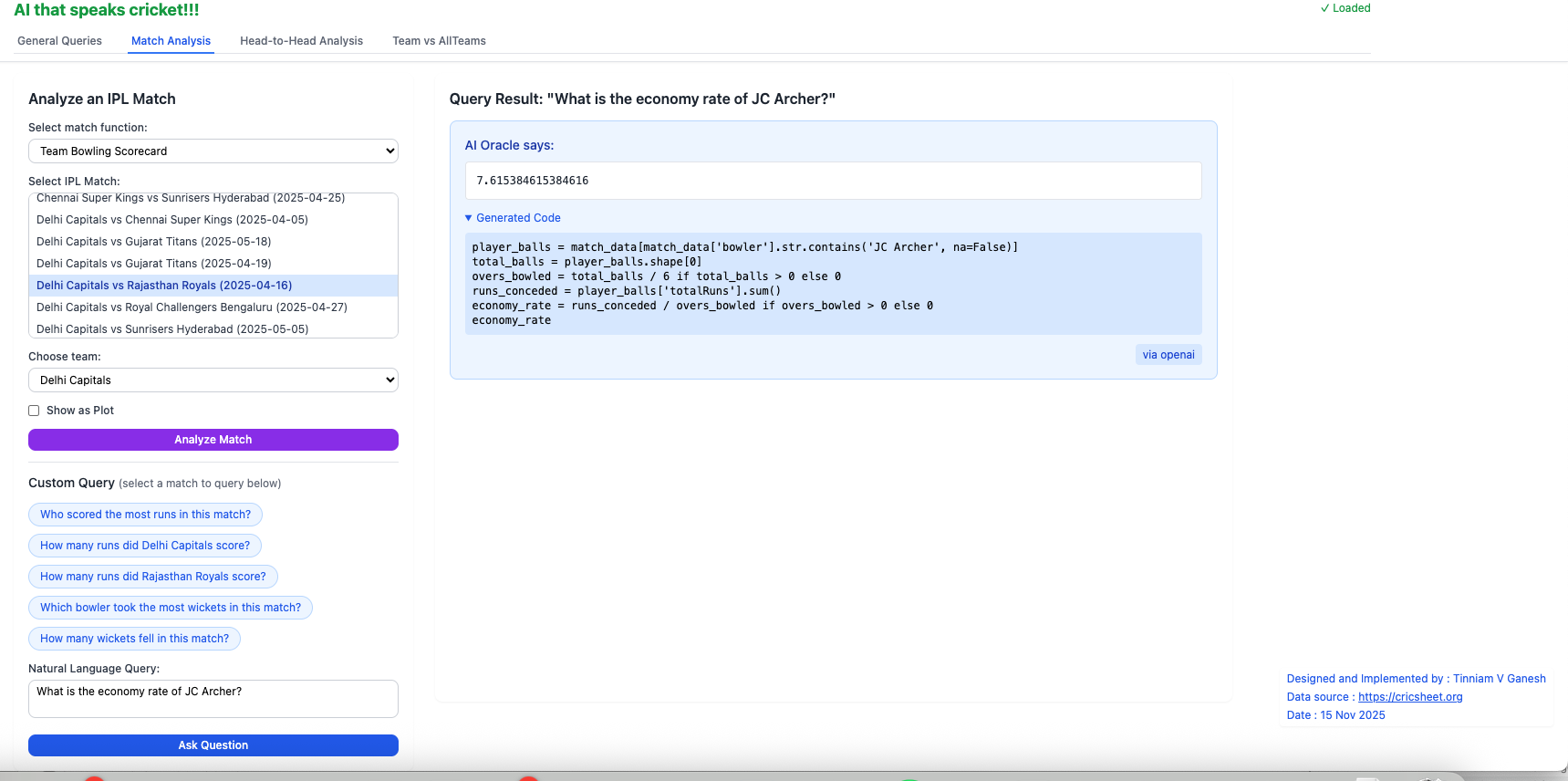
To use the Natural Language Query in this tab, you have to choose the match. For e.g.Chennai Super Kings vs Mumbai Indians (2025-04-20). Selecting a match between 2 teams will automatically create natural language chips (with red arrow). You can select any one of the chips (button) or type in your own question and click Ask Question
i) Who scored the most runs in this match?
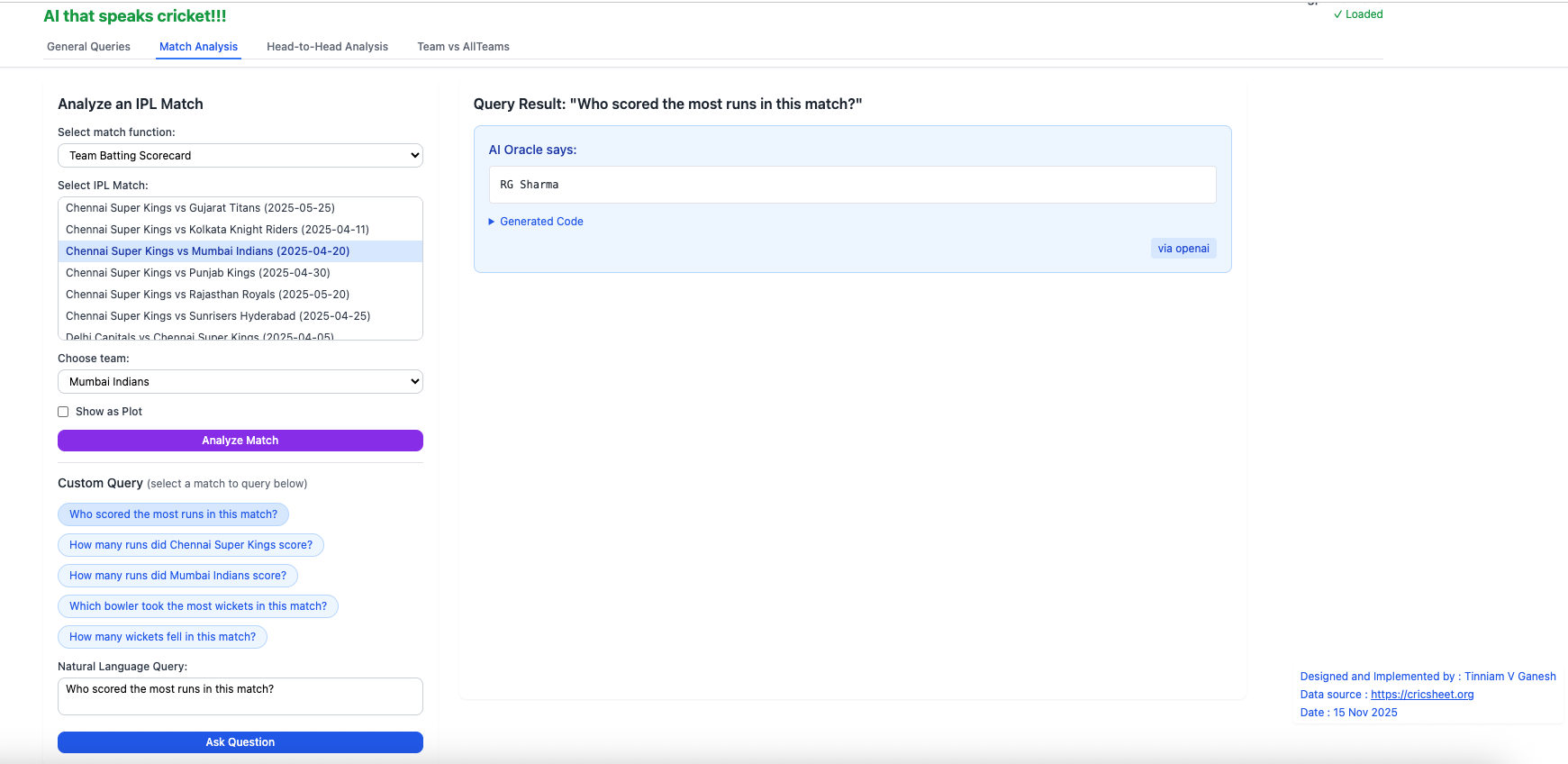
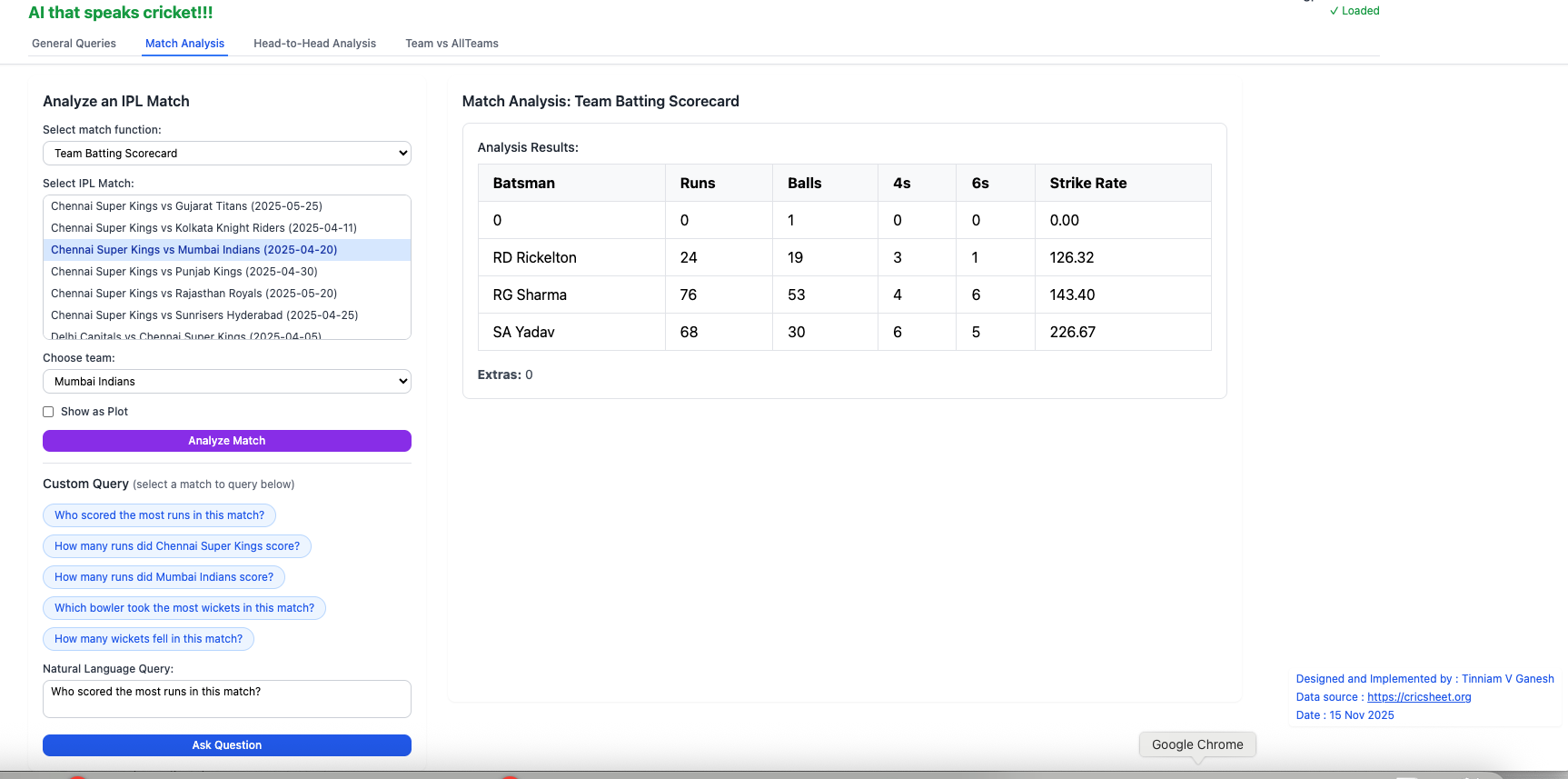
This can be verified by selecting the Batting scorecard for the match
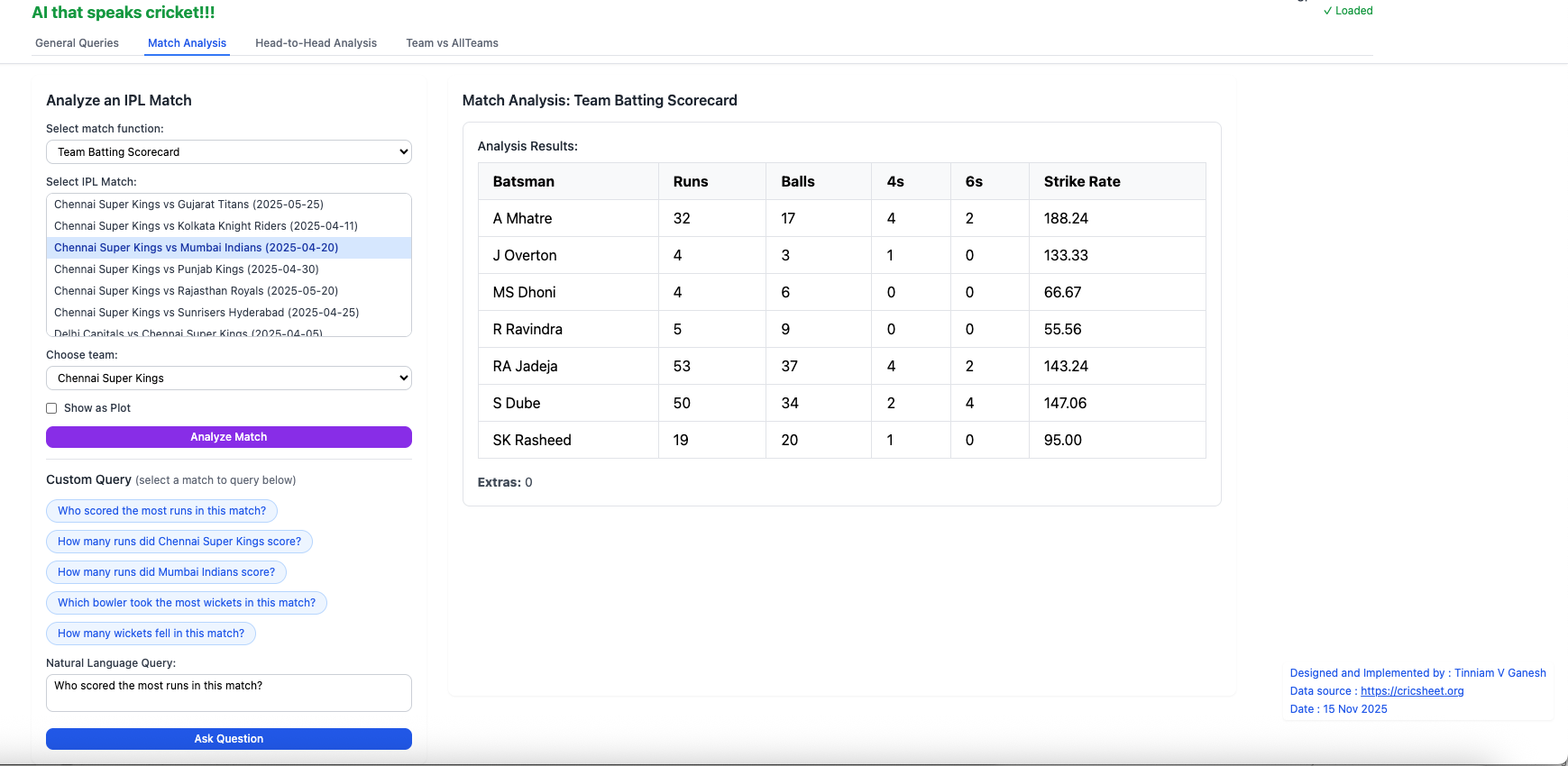
ii) Who took the most wickets in this match?
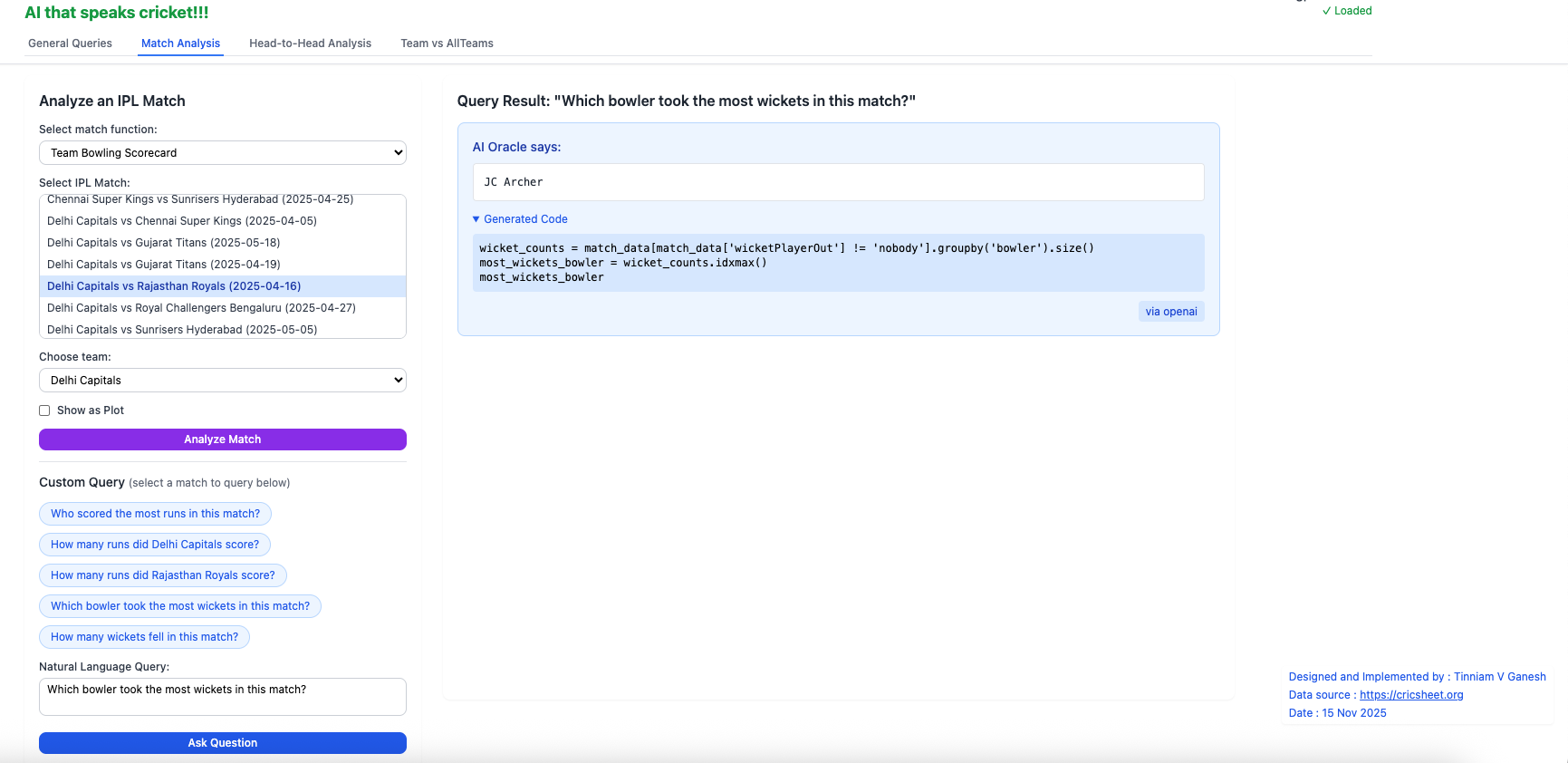
iii) What is the economy rate of JC Archer?
C) Head-vs-Head (Natural Language Query)
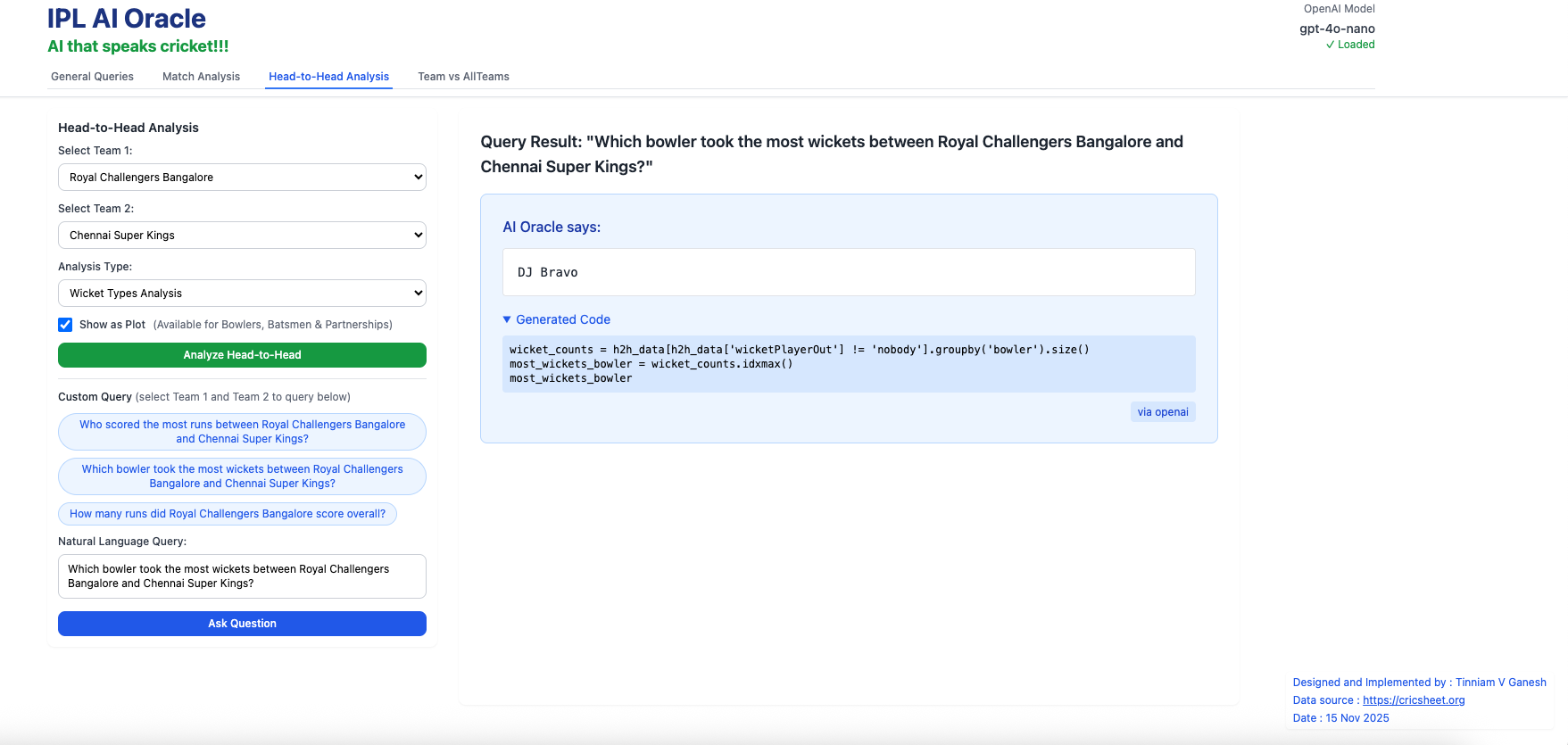
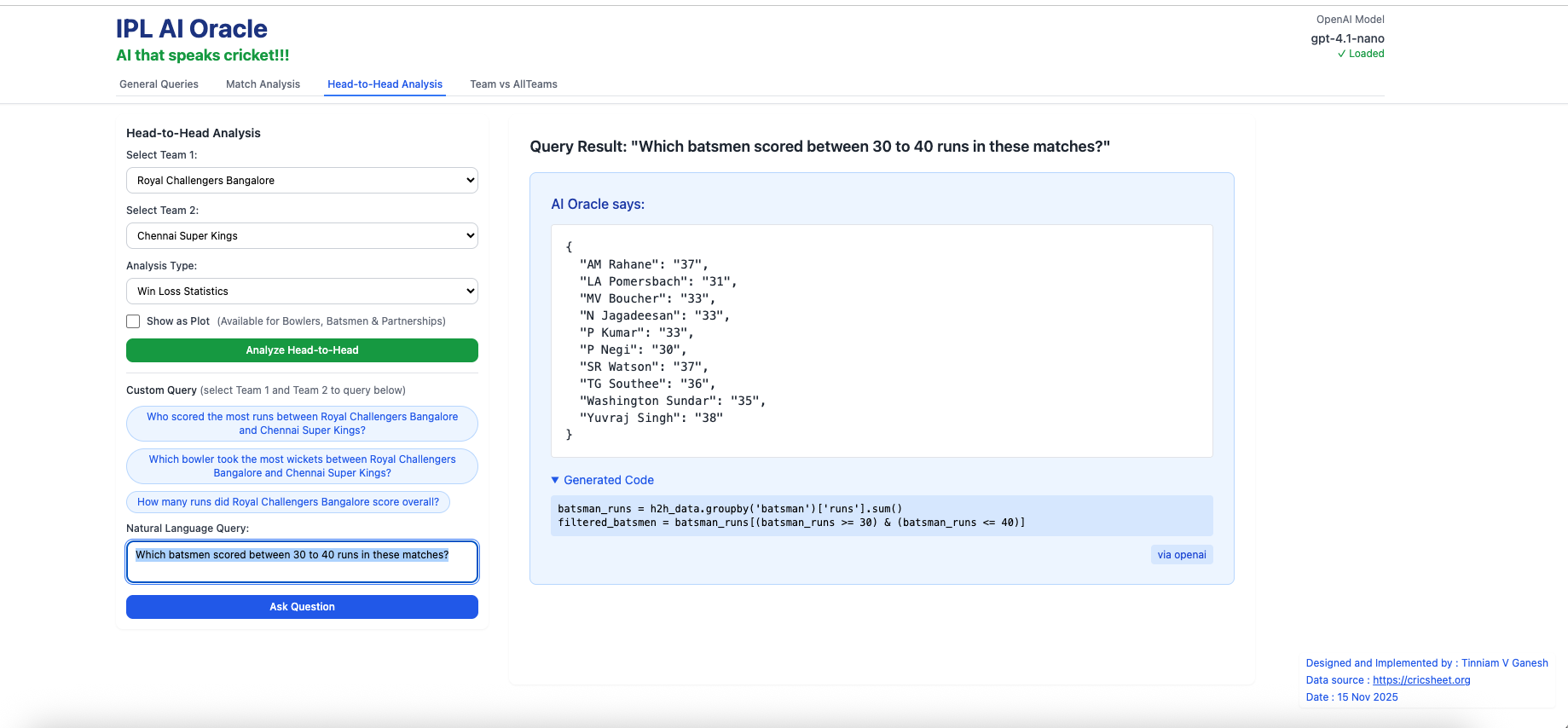
Before typing in a Natural Language Query (NLQ) ensure that Team 1 and Team 2 are selected
a) Which bowler took the most wickets between Royal Challengers Bangalore and Chennai Super Kings?
b) Which batsmen scored between 30 to 40 runs in these matches?
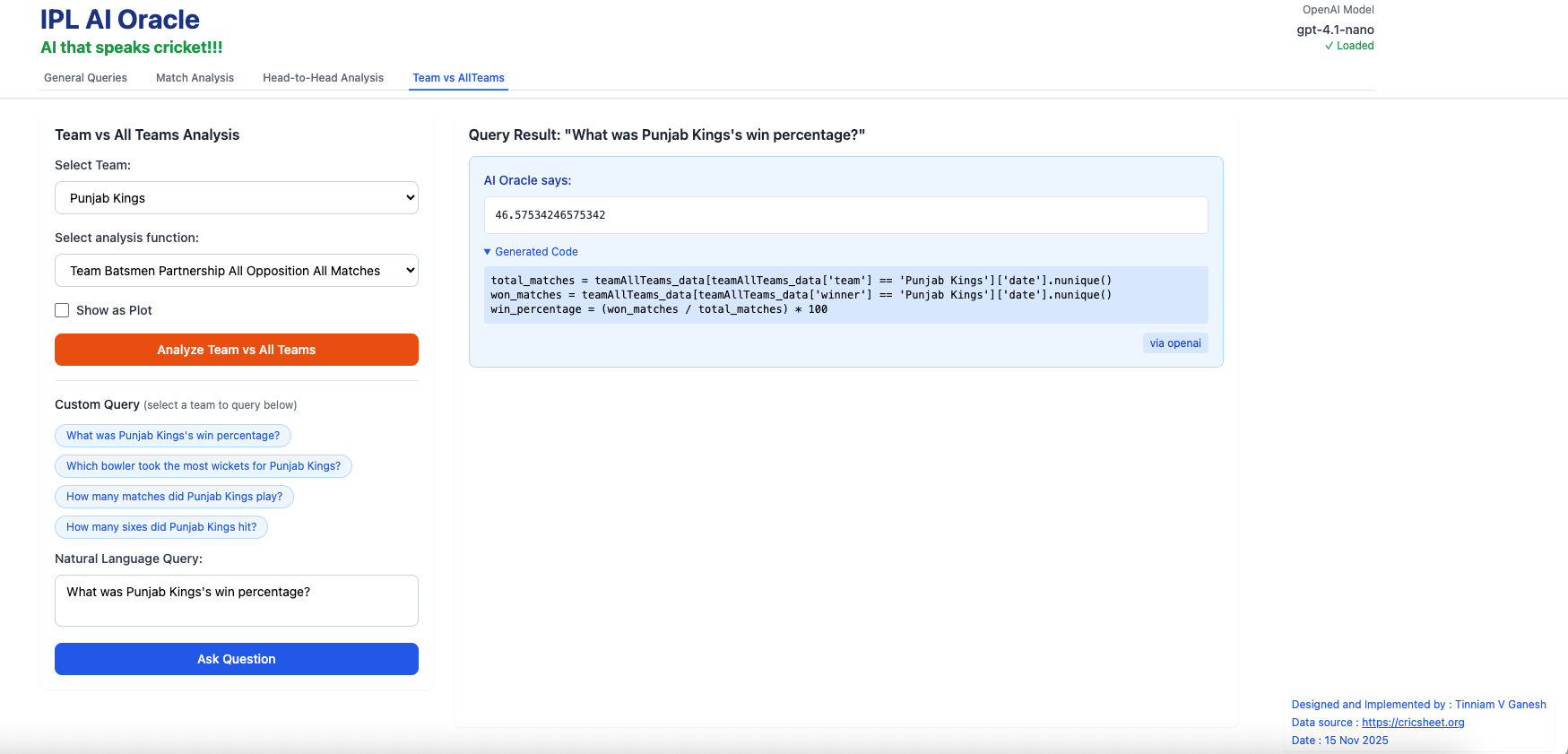
D) Team vs All Teams (Natural Language Query)
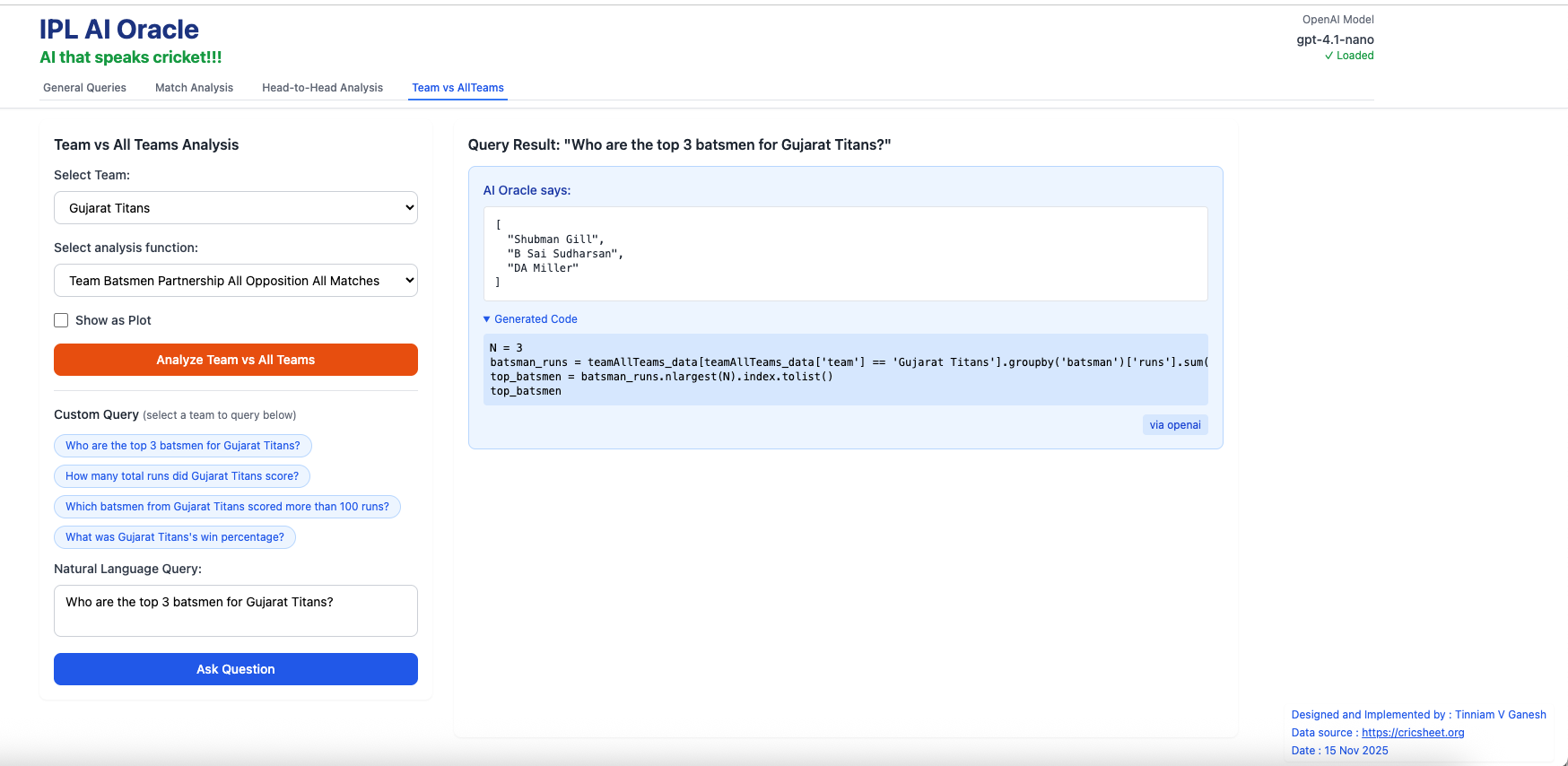
Remember to select the Team before using NLQ
a) Who are the top 3 batsman for Gujarat Titans?
b) What was Punjab King’s win percentage?
How I Built IPL AI Oracle (with a Little Help from AI)
Here are key highlights behind the build
- Data for this app comes from Cricsheet which provides ball-by-ball details in every IPL match as yaml files
- Pre-processing of these yaml files were done using R utilities I already had into RData data frames, which were then subsequently converted to CSV for the different tabs
- All the analytics is based on my handcoded package yorkpy as it has all the cricket rules baked in
- AI assisted coding was used quite heavily for the front-end and the FastAPI backend. This was done using Cursor either with Sonnet 4.5 or GPT-5 Codex
- Prompt templates for the different tabs were hand-crafted based on my package yorkpy
- All-in all, the application is a healthy mix of hand-coding and AI assisted coding.
Conclusion
Since I had to deploy the application in 3 different platforms a) Vercel b) Railway c) OpenAI. I have the clock ticking in all these platforms. I initially tried gpt-4.1-mini (SLM) and then switched to gpt-4.1-nano (Tiny LM) as it is more cost effective. Since the gpt-4.1-nano has only a few hundred million parameters and is designed for low latency and cost-effectiveness, it is not as forgiving to typos or incorrect names, as some of the bigger LLMs like GPT-4o or Sonnet 4.5. Hence natural language queries work in most situations but at times they do fail. It requires quite a bit of fine-tuning I guess. Maybe work for some other day, by which time I hope the $X =N tokens/million come down drastically, so that even hobbyists like me can afford it comfortably.
Do check out IPL AI Oracle! You will get a magic link which will enable access.
Also see
- Deep Learning from first principles in Python, R and Octave – Part 4
- Introducing QCSimulator: A 5-qubit quantum computing simulator in R
- Natural language processing: What would Shakespeare say?
- De-blurring revisited with Wiener filter using OpenCV
- Singularity (A short science fiction)
- Re-introducing cricketr! : An R package to analyze performances of cricketers
- Big Data 6: The T20 Dance of Apache NiFi and yorkpy
- Fun simulation of a Chain in Android
- Presentation on “Intelligent Networks, CAMEL protocol, services & applications
- “Internet of Things”. TEDxBNMIT
To see all posts click Index of posts

 Giga thoughts ...
2 thoughts on “Introducing IPL AI Oracle: AI that speaks cricket!!!”