The problem of deblurring has really caught my fancy though I have only had partial success with it. Deblurring is basically an ill-posed problem where there are 2 unknowns namely the original image and a blurring function. There are many solutions to this problem involving a fair amount of mathematics.
Every now and then I will sneak into some white paper on this topic only to beat a hasty retreat gulping for air as I get drowned in the abstract math. Anyway my search led me to the following presentation “Deblurring in CT (Computer Tomography)” by Kriti Sen Sharma which seemed to make a lot of sense. This presentation shows how a PSF (Point Spread Function or the blur kernel) can blur an image as shown below.

Further it can be shown that the Wiener filter can be represented as
W(u) = P(u*)
——-
|P(u)|^2 + K
Where P(u) is PSD (Point Spread Distribution) of the blur kernel. K is S/N or signal to noise ratio.
For the PSF I took the Gaussian distribution given in Wikipedia – Gaussian blur given by

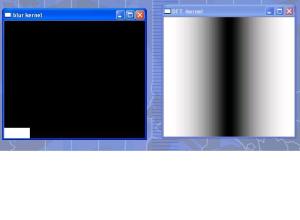
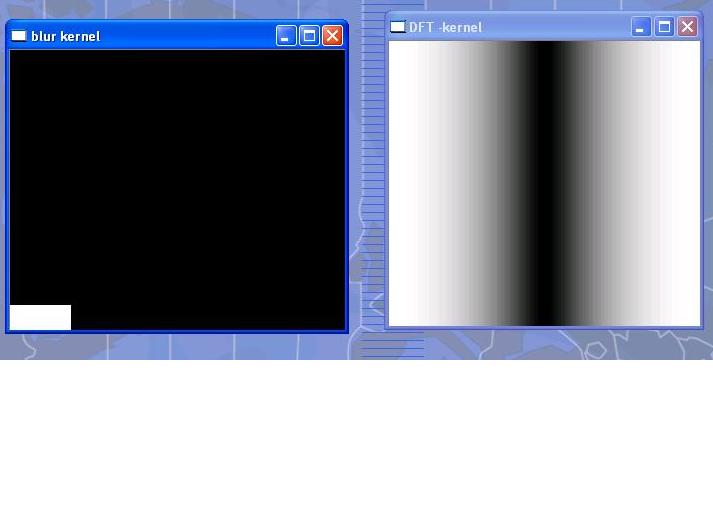
I tried with various values of SIGMA. The best value was SIGMA = 0.014089642. I get just one pixel with a value of > 0. This is shown below.
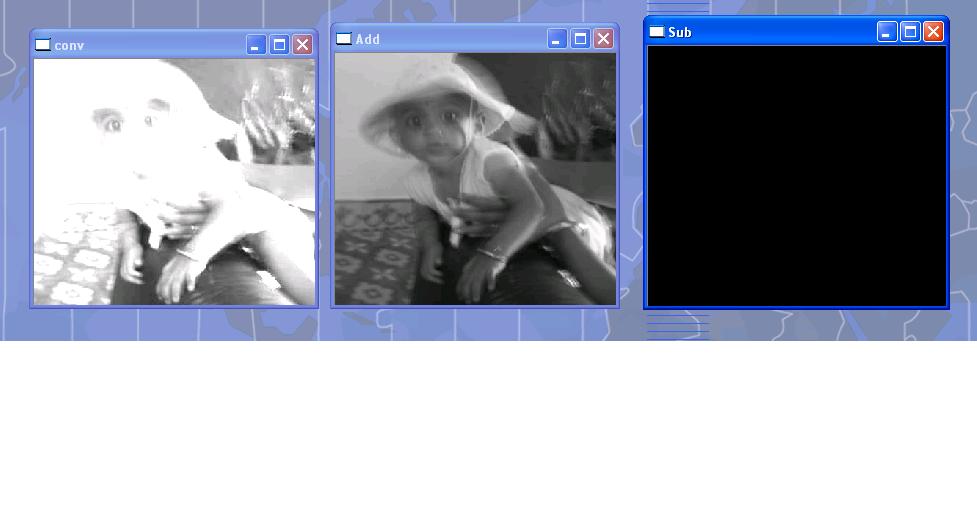
I also tried various values of K. The larger the K the clearer was the DFT INVERSE. This was the best I got.

I am still nowhere near removing the blur but I will get there sometime in the future.
Any and all comments welcome.
Note: You can clone the code from GitHub: Weiner filter reloaded
I am including the code executed with Visual Studio 2010 express
//======================================================================================================================
// Wiener filter implemention using Gaussian blur kernel
// Developed by: Tinniam V Ganesh
// Date: 11 May 2012
//======================================================================================================================
#include “stdafx.h”
#include “math.h”
#include <cxcore.h>
#include <cv.h>
#include <highgui.h>
#define kappa 10000
int main(int argc, char ** argv)
{
int height,width,step,channels,depth;
uchar* data1;
CvMat *dft_A;
CvMat *dft_B;
CvMat *dft_C;
IplImage* im;
IplImage* im1;
IplImage* image_ReB;
IplImage* image_ImB;
IplImage* image_ReC;
IplImage* image_ImC;
IplImage* complex_ImC;
CvScalar val;
IplImage* k_image_hdr;
int i,j,k;
FILE *fp;
fp = fopen(“test.txt”,”w+”);
int dft_M,dft_N;
int dft_M1,dft_N1;
CvMat* cvShowDFT1(IplImage*, int, int,char*);
void cvShowInvDFT1(IplImage*, CvMat*, int, int,char*);
im1 = cvLoadImage(“kutty-1.jpg”);
cvNamedWindow(“Original-Color”, 0);
cvShowImage(“Original-Color”, im1);
im = cvLoadImage(“kutty-1.jpg”, CV_LOAD_IMAGE_GRAYSCALE );
if( !im )
return -1;
cvNamedWindow(“Original-Gray”, 0);
cvShowImage(“Original-Gray”, im);
IplImage* k_image;
int rowLength= 11;
long double kernels[11*11];
CvMat kernel;
int x,y;
long double PI_F=3.14159265358979;
//long double SIGMA = 0.84089642;
long double SIGMA = 0.014089642;
//long double SIGMA = 0.00184089642;
long double EPS = 2.718;
long double numerator,denominator;
long double value,value1;
long double a,b,c,d;
numerator = (pow((float)-3,2) + pow((float) 0,2))/(2*pow((float)SIGMA,2));
printf(“Numerator=%f\n”,numerator);
denominator = sqrt((float) (2 * PI_F * pow(SIGMA,2)));
printf(“denominator=%1.8f\n”,denominator);
value = (pow((float)EPS, (float)-numerator))/denominator;
printf(“Value=%1.8f\n”,value);
for(x = -5; x < 6; x++){
for (y = -5; y < 6; y++)
{
//numerator = (pow((float)x,2) + pow((float) y,2))/(2*pow((float)SIGMA,2));
numerator = (pow((float)x,2) + pow((float)y,2))/(2.0*pow(SIGMA,2));
denominator = sqrt((2.0 * 3.14159265358979 * pow(SIGMA,2)));
value = (pow(EPS,-numerator))/denominator;
printf(” %1.8f “,value);
kernels[x*rowLength +y+55] = (float)value;
}
printf(“\n”);
}
printf(“———————————\n”);
for (i=-5; i < 6; i++){
for(j=-5;j < 6;j++){
printf(” %1.8f “,kernels[i*rowLength +j+55]);
}
printf(“\n”);
}
kernel= cvMat(rowLength, // number of rows
rowLength, // number of columns
CV_32FC1, // matrix data type
&kernels);
k_image_hdr = cvCreateImageHeader( cvSize(rowLength,rowLength), IPL_DEPTH_32F,1);
k_image = cvGetImage(&kernel,k_image_hdr);
height = k_image->height;
width = k_image->width;
step = k_image->widthStep/sizeof(float);
depth = k_image->depth;
channels = k_image->nChannels;
//data1 = (float *)(k_image->imageData);
data1 = (uchar *)(k_image->imageData);
cvNamedWindow(“blur kernel”, 0);
cvShowImage(“blur kernel”, k_image);
dft_M = cvGetOptimalDFTSize( im->height – 1 );
dft_N = cvGetOptimalDFTSize( im->width – 1 );
//dft_M1 = cvGetOptimalDFTSize( im->height+99 – 1 );
//dft_N1 = cvGetOptimalDFTSize( im->width+99 – 1 );
dft_M1 = cvGetOptimalDFTSize( im->height+3 – 1 );
dft_N1 = cvGetOptimalDFTSize( im->width+3 – 1 );
printf(“dft_N1=%d,dft_M1=%d\n”,dft_N1,dft_M1);
// Perform DFT of original image
dft_A = cvShowDFT1(im, dft_M1, dft_N1,”original”);
//Perform inverse (check)
//cvShowInvDFT1(im,dft_A,dft_M1,dft_N1, “original”); – Commented as it overwrites the DFT
// Perform DFT of kernel
dft_B = cvShowDFT1(k_image,dft_M1,dft_N1,”kernel”);
//Perform inverse of kernel (check)
//cvShowInvDFT1(k_image,dft_B,dft_M1,dft_N1, “kernel”);- Commented as it overwrites the DFT
// Multiply numerator with complex conjugate
dft_C = cvCreateMat( dft_M1, dft_N1, CV_64FC2 );
printf(“%d %d %d %d\n”,dft_M,dft_N,dft_M1,dft_N1);
// Multiply DFT(blurred image) * complex conjugate of blur kernel
cvMulSpectrums(dft_A,dft_B,dft_C,CV_DXT_MUL_CONJ);
//cvShowInvDFT1(im,dft_C,dft_M1,dft_N1,”blur1?);
// Split Fourier in real and imaginary parts
image_ReC = cvCreateImage( cvSize(dft_N1, dft_M1), IPL_DEPTH_64F, 1);
image_ImC = cvCreateImage( cvSize(dft_N1, dft_M1), IPL_DEPTH_64F, 1);
complex_ImC = cvCreateImage( cvSize(dft_N1, dft_M1), IPL_DEPTH_64F, 2);
printf(“%d %d %d %d\n”, dft_M,dft_N,dft_M1,dft_N1);
//cvSplit( dft_C, image_ReC, image_ImC, 0, 0 );
cvSplit( dft_C, image_ReC, image_ImC, 0, 0 );
// Compute A^2 + B^2 of denominator or blur kernel
image_ReB = cvCreateImage( cvSize(dft_N1, dft_M1), IPL_DEPTH_64F, 1);
image_ImB = cvCreateImage( cvSize(dft_N1, dft_M1), IPL_DEPTH_64F, 1);
// Split Real and imaginary parts
cvSplit( dft_B, image_ReB, image_ImB, 0, 0 );
cvPow( image_ReB, image_ReB, 2.0);
cvPow( image_ImB, image_ImB, 2.0);
cvAdd(image_ReB, image_ImB, image_ReB,0);
val = cvScalarAll(kappa);
cvAddS(image_ReB,val,image_ReB,0);
//Divide Numerator/A^2 + B^2
cvDiv(image_ReC, image_ReB, image_ReC, 1.0);
cvDiv(image_ImC, image_ReB, image_ImC, 1.0);
// Merge Real and complex parts
cvMerge(image_ReC, image_ImC, NULL, NULL, complex_ImC);
// Perform Inverse
cvShowInvDFT1(im, (CvMat *)complex_ImC,dft_M1,dft_N1,”Weiner o/p k=10000 SIGMA=0.014089642″);
cvWaitKey(-1);
return 0;
}
CvMat* cvShowDFT1(IplImage* im, int dft_M, int dft_N,char* src)
{
IplImage* realInput;
IplImage* imaginaryInput;
IplImage* complexInput;
CvMat* dft_A, tmp;
IplImage* image_Re;
IplImage* image_Im;
char str[80];
double m, M;
realInput = cvCreateImage( cvGetSize(im), IPL_DEPTH_64F, 1);
imaginaryInput = cvCreateImage( cvGetSize(im), IPL_DEPTH_64F, 1);
complexInput = cvCreateImage( cvGetSize(im), IPL_DEPTH_64F, 2);
cvScale(im, realInput, 1.0, 0.0);
cvZero(imaginaryInput);
cvMerge(realInput, imaginaryInput, NULL, NULL, complexInput);
dft_A = cvCreateMat( dft_M, dft_N, CV_64FC2 );
image_Re = cvCreateImage( cvSize(dft_N, dft_M), IPL_DEPTH_64F, 1);
image_Im = cvCreateImage( cvSize(dft_N, dft_M), IPL_DEPTH_64F, 1);
// copy A to dft_A and pad dft_A with zeros
cvGetSubRect( dft_A, &tmp, cvRect(0,0, im->width, im->height));
cvCopy( complexInput, &tmp, NULL );
if( dft_A->cols > im->width )
{
cvGetSubRect( dft_A, &tmp, cvRect(im->width,0, dft_A->cols – im->width, im->height));
cvZero( &tmp );
}
// no need to pad bottom part of dft_A with zeros because of
// use nonzero_rows parameter in cvDFT() call below
cvDFT( dft_A, dft_A, CV_DXT_FORWARD, complexInput->height );
strcpy(str,”DFT -“);
strcat(str,src);
cvNamedWindow(str, 0);
// Split Fourier in real and imaginary parts
cvSplit( dft_A, image_Re, image_Im, 0, 0 );
// Compute the magnitude of the spectrum Mag = sqrt(Re^2 + Im^2)
cvPow( image_Re, image_Re, 2.0);
cvPow( image_Im, image_Im, 2.0);
cvAdd( image_Re, image_Im, image_Re, NULL);
cvPow( image_Re, image_Re, 0.5 );
// Compute log(1 + Mag)
cvAddS( image_Re, cvScalarAll(1.0), image_Re, NULL ); // 1 + Mag
cvLog( image_Re, image_Re ); // log(1 + Mag)
cvMinMaxLoc(image_Re, &m, &M, NULL, NULL, NULL);
cvScale(image_Re, image_Re, 1.0/(M-m), 1.0*(-m)/(M-m));
cvShowImage(str, image_Re);
return(dft_A);
}
void cvShowInvDFT1(IplImage* im, CvMat* dft_A, int dft_M, int dft_N,char* src)
{
IplImage* realInput;
IplImage* imaginaryInput;
IplImage* complexInput;
IplImage * image_Re;
IplImage * image_Im;
double m, M;
char str[80];
realInput = cvCreateImage( cvGetSize(im), IPL_DEPTH_64F, 1);
imaginaryInput = cvCreateImage( cvGetSize(im), IPL_DEPTH_64F, 1);
complexInput = cvCreateImage( cvGetSize(im), IPL_DEPTH_64F, 2);
image_Re = cvCreateImage( cvSize(dft_N, dft_M), IPL_DEPTH_64F, 1);
image_Im = cvCreateImage( cvSize(dft_N, dft_M), IPL_DEPTH_64F, 1);
//cvDFT( dft_A, dft_A, CV_DXT_INV_SCALE, complexInput->height );
cvDFT( dft_A, dft_A, CV_DXT_INV_SCALE, dft_M);
strcpy(str,”DFT INVERSE – “);
strcat(str,src);
cvNamedWindow(str, 0);
// Split Fourier in real and imaginary parts
cvSplit( dft_A, image_Re, image_Im, 0, 0 );
// Compute the magnitude of the spectrum Mag = sqrt(Re^2 + Im^2)
cvPow( image_Re, image_Re, 2.0);
cvPow( image_Im, image_Im, 2.0);
cvAdd( image_Re, image_Im, image_Re, NULL);
cvPow( image_Re, image_Re, 0.5 );
// Compute log(1 + Mag)
cvAddS( image_Re, cvScalarAll(1.0), image_Re, NULL ); // 1 + Mag
cvLog( image_Re, image_Re ); // log(1 + Mag)
cvMinMaxLoc(image_Re, &m, &M, NULL, NULL, NULL);
cvScale(image_Re, image_Re, 1.0/(M-m), 1.0*(-m)/(M-m));
//cvCvtColor(image_Re, image_Re, CV_GRAY2RGBA);
cvShowImage(str, image_Re);
}
See also
– Experiments with deblurring using OpenCV
– De-blurring revisited with Wiener filter using OpenCV
– Dabbling with Wiener filter using OpenCV
– Re-working the Lucy-Richardson Algorithm in OpenCV
You may also like
1. What’s up Watson? Using IBM Watson’s QAAPI with Bluemix, NodeExpress – Part 1
2. Bend it like Bluemix, MongoDB with autoscaling – Part 1
3. Informed choices through Machine Learning : Analyzing Kohli, Tendulkar and Dravid
4. A crime map of India in R: Crimes against women
Find me on Google+







 Giga thoughts ...